
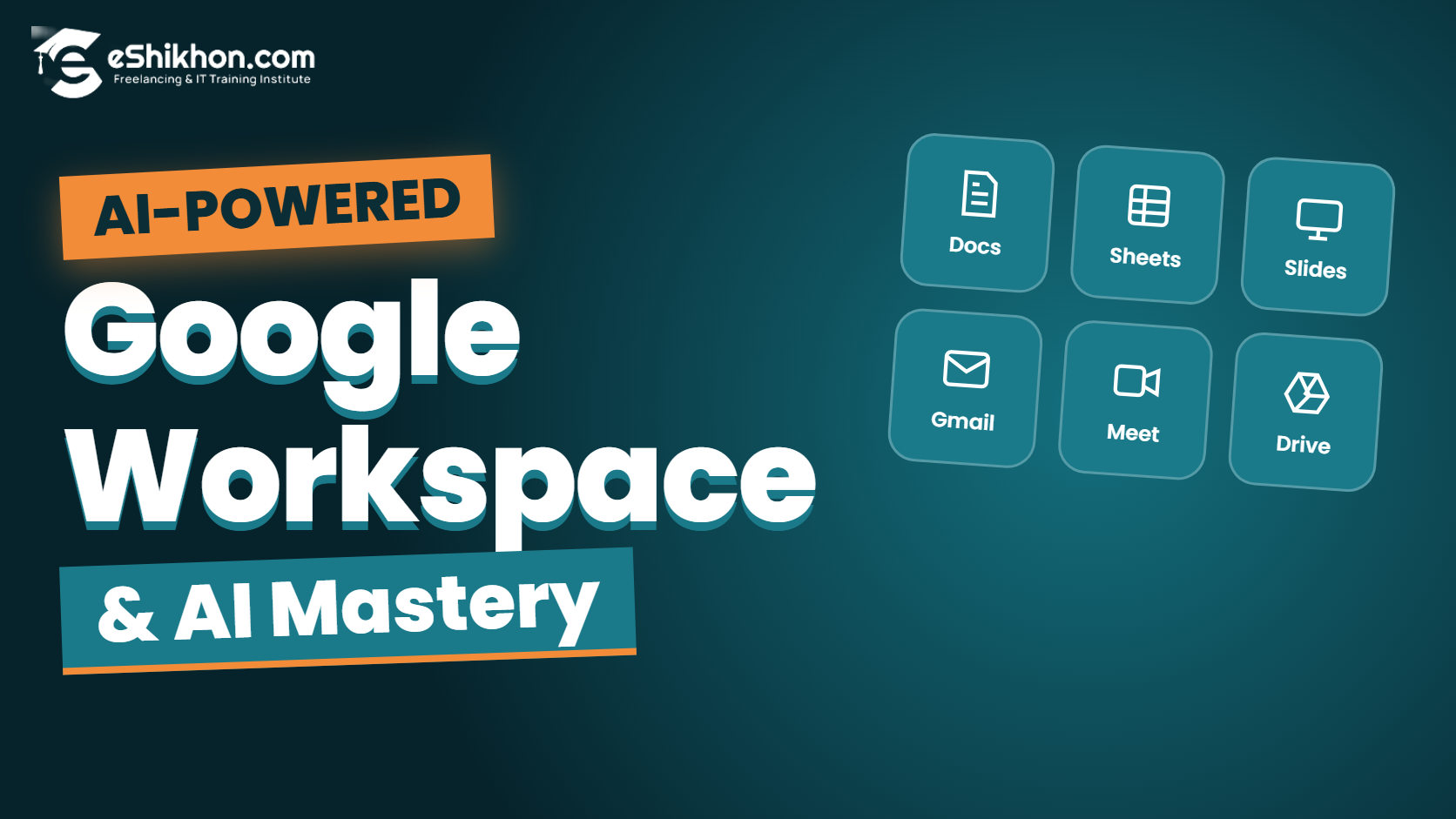
Google Workspace & AI Mastery কোর্সটি এমনভাবে ডিজাইন করা হয়েছে, যাতে শিক্ষার্থীরা Google Workspace-এর বিভিন্ন টুল ব্যবহার করে দৈনন্দিন অফিসের কাজ, ইমেইল কমিউনিকেশন, ডকুমেন্ট তৈরি, ডেটা ম্যানেজমেন্ট, প্রেজেন্টেশন এবং টিম কোলাবোরেশন দক্ষতার সঙ্গে সম্পন্ন করতে পারে। পাশাপাশি ChatGPT, Google Gemini, Microsoft Copilot এবং NotebookLM-এর মতো আধুনিক AI টুল ব্যবহার করে লেখালেখি, রিসার্চ, ডেটা অ্যানালাইসিস, কনটেন্ট তৈরি এবং কাজের Workflow উন্নত করার বাস্তব দক্ষতা অর্জন করবে। এই কোর্সের মাধ্যমে শিক্ষার্থীরা আধুনিক কর্মক্ষেত্রের জন্য প্রয়োজনীয় ডিজিটাল প্রোডাক্টিভিটি ও AI-ভিত্তিক কাজের দক্ষতা গড়ে তুলতে পারবে।
এই কোর্সে যা থাকছে:
কুইজ এবং অ্যাসাইনমেন্ট
73
কোর্স টপিক
ক্লাস শেষে রেকর্ডিং
২৪/৭ সাপোর্ট
ভেরিফাইড সার্টিফিকেট
জব প্লেসমেন্ট
আপকামিং ব্যাচ:
ফ্রি কাউন্সেলিং পেতে, কল করুন: 09639399399

Gmail, Google Drive, Docs, Sheets, Slides, Forms, Meet এবং বিভিন্ন AI Tools নিয়ে Practical কাজ করার জন্য একটি Laptop বা Desktop Computer এবং স্থিতিশীল Internet Connection থাকা প্রয়োজন। Google Workspace ও AI Tools ব্যবহারের জন্য প্রয়োজন অনুযায়ী Google Account এবং সংশ্লিষ্ট Tool-এর Account Access থাকতে হবে।
Description
বর্তমান ডিজিটাল কর্মক্ষেত্রে অফিসের কাজ, Professional Communication, Document Creation, Data Management এবং Team Collaboration দক্ষতার সঙ্গে পরিচালনা করতে Google Workspace-এর ব্যবহার অত্যন্ত গুরুত্বপূর্ণ। পাশাপাশি Artificial Intelligence (AI) ব্যবহারের মাধ্যমে দৈনন্দিন কাজ আরও দ্রুত, সহজ এবং কার্যকরভাবে সম্পন্ন করা সম্ভব।
eShikhon-এর Google Workspace & AI Mastery কোর্সে আপনি Google Workspace Fundamentals থেকে শুরু করে Gmail, Google Drive, Google Docs, Google Sheets, Google Slides, Google Forms এবং Google Meet-এর Practical ব্যবহার শিখবেন। পাশাপাশি Google Calendar, Task Management, Project Tracking এবং Digital Security সম্পর্কে প্রয়োজনীয় দক্ষতা অর্জন করবেন।
কোর্সের AI অংশে Generative AI, Large Language Models (LLMs), Prompt Engineering এবং Responsible AI ব্যবহারের ধারণা দেওয়া হবে। ChatGPT, Google Gemini এবং Microsoft Copilot ব্যবহার করে Email Writing, Research, Data Analysis, Document Creation ও Presentation তৈরির কৌশল শেখানো হবে। এছাড়াও NotebookLM, Information Summarization, Content Creation এবং No-code Automation নিয়ে Practical Learning থাকবে।
মোট ১২টি Live Class এবং ২৪ ঘণ্টার Learning Activities-এর মাধ্যমে শিক্ষার্থীরা Google Workspace ও AI Tools-এর সমন্বয়ে একটি বাস্তবভিত্তিক Practical Project সম্পন্ন করবে এবং Final Assessment-এর মাধ্যমে নিজেদের অর্জিত দক্ষতা মূল্যায়নের সুযোগ পাবে।
কোর্স সম্পর্কে বিস্তারিত
কাদের জন্য কোর্সটি?
- শিক্ষার্থী ও চাকরিপ্রার্থী, যারা Professional Digital Skills অর্জন করতে চান।
- অফিস কর্মী ও Corporate Professionals, যারা Google Workspace ব্যবহার করে কাজের দক্ষতা বাড়াতে চান।
- ফ্রিল্যান্সার, যারা Client Communication, Document Preparation এবং Data Management উন্নত করতে চান।
- উদ্যোক্তা ও Business Owners, যারা Digital Tools ব্যবহার করে ব্যবসার কাজ পরিচালনা করতে চান।
- যারা ChatGPT, Google Gemini ও Microsoft Copilot ব্যবহার করে দৈনন্দিন কাজ সহজ করতে চান।
- যারা AI-assisted Productivity, Research এবং Workflow Optimization শিখতে আগ্রহী।
কোর্সে কী কী শেখানো হবে?
- Google Workspace Ecosystem, Account Management এবং Cloud Computing Fundamentals।
- Professional Email Writing, Email Etiquette, Inbox Management, Labels, Filters ও Email Signature।
- Google Drive-এ File Management, Folder Organization, File Sharing ও Access Permissions।
- Google Docs ব্যবহার করে Document Formatting, Tables, Collaboration এবং AI-assisted Writing।
- Google Sheets-এ Data Entry, Essential Formulas, Sorting, Filtering, Charts ও AI-assisted Data Analysis।
- Google Slides ব্যবহার করে Professional Presentation Design ও AI-powered Content Generation।
- Google Forms দিয়ে Survey, Quiz, Registration Form এবং Data Collection।
- Google Meet, Google Calendar, Online Meetings ও Team Coordination।
- Google Workspace Security, Account Protection এবং Cloud Security Fundamentals।
- Generative AI, Large Language Models এবং Prompt Engineering।
- ChatGPT, Google Gemini ও Microsoft Copilot ব্যবহার করে Productivity বৃদ্ধি।
- AI-assisted Writing, Research, Data Analysis ও Content Creation।
- NotebookLM দিয়ে Research, Information Summarization ও Information Analysis।
- No-code Automation এবং Workflow Optimization-এর প্রাথমিক ধারণা।
- Integrated Digital Workflow, Real-World Case Study ও Practical Project।
১২টি Course Module
- Module 01: Google Workspace Fundamentals
- Module 02: Official Email Management
- Module 03: Google Drive & Cloud Collaboration
- Module 04: Google Docs & AI-Assisted Document Creation
- Module 05: Google Sheets & AI-Assisted Data Management
- Module 06: Google Slides & AI-Powered Presentations
- Module 07: Google Forms & Data Collection
- Module 08: Google Meet, Project Management & Workspace Security
- Module 09: Introduction to Generative AI & Prompt Engineering
- Module 10: ChatGPT, Google Gemini & Microsoft Copilot for Productivity
- Module 11: AI-Powered Research, Content & Workflow
- Module 12: Practical Project & Professional Productivity Assessment
Practical Projects & Activities
Gmail ব্যবহার করে Professional Email তৈরি, Inbox Organization, Labels, Filters এবং Email Signature Setup করা।
Google Drive-এ Folder Organization, File Sharing এবং Access Permissions পরিচালনা করা।
Google Docs ও AI Tools ব্যবহার করে Professional Document তৈরি, Editing এবং Summarization করা।
Google Sheets ব্যবহার করে Data Entry, Formulas, Sorting, Filtering এবং Data Visualization করা।
Google Slides ও AI Tools ব্যবহার করে একটি Professional Presentation তৈরি করা।
Google Forms দিয়ে Registration Form বা Survey তৈরি এবং Google Sheets-এ Response পরিচালনা করা।
ChatGPT, Gemini এবং NotebookLM ব্যবহার করে তথ্য অনুসন্ধান, বিশ্লেষণ ও সারসংক্ষেপ তৈরি করা।
Google Workspace ও AI Tools একসঙ্গে ব্যবহার করে একটি বাস্তবভিত্তিক Digital Workflow তৈরি করা।
এছাড়াও Final Practical Project-এ Document Creation, Data Management, Presentation, AI-assisted Research এবং Integrated Digital Workflow নিয়ে Project Presentation ও Assessment থাকবে।
Tools & Technologies
কোর্সে নিচের Digital Tools ও AI Technologies নিয়ে Practical কাজ করা হবে:
কোর্স শুরুর পূর্বে যা প্রয়োজন
- Basic Computer Knowledge থাকতে হবে।
- Internet Browsing এবং Online Applications ব্যবহারের প্রাথমিক ধারণা থাকতে হবে।
- Google Account থাকতে হবে অথবা নতুন Google Account তৈরি করতে হবে।
- Google Workspace ও AI Tools নিয়ে Practical কাজ করার আগ্রহ থাকতে হবে।
- প্র্যাকটিক্যাল কাজ ও Project সম্পন্ন করার জন্য Internet Connection-সহ একটি Laptop বা Desktop Computer প্রয়োজন।
- AI Tools ব্যবহারের ক্ষেত্রে সংশ্লিষ্ট Platform-এর Account এবং Free/Paid Access Availability অনুযায়ী কাজ করতে হবে।
কোর্স শেষে Career Opportunities
- Office Executive: Google Workspace ব্যবহার করে অফিসের Document, Email এবং Daily Operations পরিচালনা।
- Administrative Assistant: Email Management, File Organization, Meeting Coordination এবং Documentation।
- Virtual Assistant: Online Communication, Data Management, Research এবং Digital Administrative Tasks।
- Data Management Assistant: Google Sheets ব্যবহার করে Data Entry, Organization ও Basic Data Analysis।
- Digital Productivity Assistant: AI Tools ব্যবহার করে Content, Research এবং Professional Documentation তৈরি।
- Freelance Support Services: Email Management, Document Formatting, Spreadsheet Management এবং Presentation Creation-এর মতো সেবা প্রদান।
*কোর্সে অর্জিত Skills বিভিন্ন Office ও Digital Support Role-এর জন্য প্রস্তুতি নিতে সহায়তা করবে। চাকরি বা Freelancing-এর সুযোগ নির্ভর করবে ব্যক্তিগত দক্ষতা, অভিজ্ঞতা এবং Employer বা Client Requirements-এর ওপর।
Course Duration & Learning Format
- Course Modules: মোট ১২টি Module।
- Total Classes: ১২টি Class।
- Nominal Hours: মোট ২৪ ঘণ্টা।
- Estimated Duration: ১ মাস।
- Class Duration: গড়ে প্রতি ক্লাস ২ ঘণ্টা।
- Learning Activities: Practical Exercises, AI Tool Practice, Real-World Case Study এবং Final Project।
- Final Assessment: Practical Project, Project Presentation ও Professional Productivity Assessment।
বিশেষ সুবিধাসমূহ
- Google Workspace-এর গুরুত্বপূর্ণ Applications নিয়ে Practical Learning।
- Professional Email Management ও Digital Communication Skills উন্নয়নের সুযোগ।
- Google Docs, Sheets ও Slides ব্যবহার করে Office Productivity Skills অর্জন।
- Google Drive ও Cloud Collaboration-এর মাধ্যমে File Management শেখার সুযোগ।
- ChatGPT, Google Gemini ও Microsoft Copilot ব্যবহার করে AI-assisted Productivity শেখা।
- Prompt Engineering ও Responsible AI ব্যবহারের ধারণা।
- NotebookLM ব্যবহার করে Research ও Information Summarization-এর অনুশীলন।
- AI Tools ব্যবহার করে Content Creation ও Workflow Optimization শেখার সুযোগ।
- Real-World Case Study এবং Practical Project-এর মাধ্যমে শেখা।
- Final Project Presentation ও Professional Productivity Assessment।
Work Smarter. Create Faster. Master AI. 🚀
Master Google Workspace, Explore AI Tools and Build Your Digital Productivity Skills for the Modern Workplace.
কোর্স কারিকুলাম
-
-
- Google Workspace Ecosystem Unlimited
- Account Management Unlimited
- Cloud Computing Unlimited
- Digital File Organization Unlimited
- Basic Security & Privacy Unlimited
- Email Writing Unlimited
- Email Etiquette Unlimited
- Inbox Management Unlimited
- Labels Unlimited
- Search Operators Unlimited
- Email Signature Unlimited
- Professional Communication Unlimited
- Document Formatting Unlimited
- Page Setup Unlimited
- Styles Unlimited
- Tables Unlimited
- Collaboration Unlimited
- AI-Assisted Writing, Editing & Summarization Unlimited
- Presentation Structure Unlimited
- AI-Assisted Content Generation Unlimited
- Slide Design Unlimited
- Themes Unlimited
- Visuals Unlimited
- Presentation Delivery Unlimited
- Online Meetings Unlimited
- Screen Sharing Unlimited
- Google Calendar Unlimited
- Task Management Unlimited
- Team Coordination Unlimited
- Project Tracking Unlimited
- Account Security Unlimited
- ChatGPT Unlimited
- Google Gemini Unlimited
- Microsoft Copilot Unlimited
- AI-Assisted Writing Unlimited
- Research Unlimited
- Document & Presentation Creation Unlimited
- Integrated Digital Workflow Unlimited
- Real-World Case Study Unlimited
- Practical Project Unlimited
- Project Presentation & Final Assessment Unlimited
কোর্স রিভিউ সমূহ
Related Courses
CV Writing & Job Preparation
Jannatul FerdousOriginal price was: 3,750.00৳.2,490.00৳Current price is: 2,490.00৳.
Complete Data Entry Live Course with Research and Analysis
ISRAT JAHAN1613Original price was: 3,000.00৳.2,990.00৳Current price is: 2,990.00৳.
Computer+IT Specialist (Video Course)
ISRAT JAHAN118Original price was: 4,000.00৳.990.00৳Current price is: 990.00৳.