ভিডিও এডিটিং হল সেই প্রক্রিয়া যেখানে একটি ভিডিও ফুটেজকে এডিটর পছন্দশীল ভাবে ঢেলে সাজিয়ে একটি পরিপূর্ণ গল্প ফুটিয়ে তোলে। এটি হচ্ছে একটি পোস্ট প্রোডাকশন কাজ। যেখানে ভিডিওর টাইটেল, গ্রাফিক্স, কালার কারেকশন, সাউন্ড মিক্সিং, ইফেক্ট সহ সব ধরণের কাজ করা হয়। কম্পিউটার বেসিক জানা থাকলেই ভিডিও এডিটিং কোর্স করতে পারবে এবং একজন দক্ষ ভিডিও এডিটির হতে পারবে।

5
159
  রিভিউ
1805
শিক্ষার্থী
73
টপিক

এই কোর্সে যা থাকছে

কুইজ ও অ্যাসাইনমেন্ট
73
কোর্স টপিক
ক্লাস শেষে রেকর্ডিং
২৪/৭ সাপোর্ট
ভেরিফাইড সার্টিফিকেট
জব প্লেসমেন্ট সাপোর্ট

আপকামিং ব্যাচ

পছন্দের ব্যাচ বেছে নিয়ে আসন নিশ্চিত করুন।
কোর্স বিবরণ

BLACK FRIDAY BLAST 2026ESHIKHON SPECIAL OFFER
NOVEMBER OFFER · PROFESSIONAL VIDEO EDITING

Black Friday-তে Video Editing Course-এ বিশেষ ছাড়!

ভিডিওর গল্প, গতি, রং ও শব্দকে আরও আকর্ষণীয়ভাবে উপস্থাপন করতে শিখুন Premiere Pro, After Effects এবং AI tools-এর সাহায্যে।

COUPON CODE BF26
ONLINE LIVE COURSE30% OFFRegular: ৳৪,৪৯০Offer Price: ৳৩,১৪৩Coupon: BF26
BUY 1 GET 3Gift Courses*

Spoken English · Google Workspace & AI Mastery · CV Writing, Freelancing & Job Preparation

*Gift course ও discount-এর শর্ত প্রযোজ্য।Offer Details →
✦ AI-Integrated Professional Training
Professional Video Editing Course

ভিডিও এডিটিং শিখে নিজের সৃজনশীলতাকে দিন নতুন রূপ

Adobe Premiere Pro, AI tools ও After Effects ব্যবহার করে ভিডিও কাটিং, motion graphics, subtitle, audio cleanup, green screen এবং color grading শিখুন। নিয়মিত practice ও project-এর মাধ্যমে তৈরি করুন নিজের editing portfolio।

◉ লাইভ অনলাইন ক্লাস▣ ৩০টি ক্লাস✦ AI Integrated
ESHIKHON · CAREER-FOCUSED LEARNING

Video Editing শিখুন, বাস্তবে প্রয়োগ করুন

৩০টি লাইভ ক্লাস
AIIntegrated কোর্স
Regular ৳৪,৪৯০Offer ৳৩,১৪৩Online Course · 30% OFF
ProjectFinal Assignment
Premiere Pro + AI + After Effects
AI Integratedআধুনিক ভিডিও এডিটিং শেখা
Practicalপ্রজেক্টভিত্তিক অনুশীলন
Career Supportচাকরি ও ফ্রিল্যান্সিং প্রস্তুতি
2 Free Coursesভর্তির সঙ্গে বাড়তি শেখা
ভিডিও এডিটিংয়ের পরিচিতি

ভিডিও এডিটিং কী এবং কেন শিখবেন?

ভিডিও এডিটিংয়ের মাধ্যমে আলাদা আলাদা ফুটেজ, শব্দ, লেখা ও visual effect একসঙ্গে সাজিয়ে একটি সুন্দর গল্প বা বার্তা তৈরি করা হয়। YouTube, social media, বিজ্ঞাপন ও অনলাইন ব্যবসায় ভিডিওর ব্যবহার বাড়ায় দক্ষ editor-এর কাজের ক্ষেত্রও তৈরি হচ্ছে।

গল্পকে আকর্ষণীয়ভাবে উপস্থাপন

সঠিক footage, pacing, transition, title, sound ও color ব্যবহার করে দর্শকের মনোযোগ ধরে রাখার মতো ভিডিও তৈরি করতে শিখুন।

আধুনিক টুলে কাজের দক্ষতা

Premiere Pro, After Effects এবং AI tools ব্যবহার করে editing, motion graphics, subtitle, audio ও visual workflow অনুশীলন করুন।

দক্ষতার প্রয়োগ

ভিডিও এডিটিং শিখে কী কী কাজ করতে পারবেন?

ব্র্যান্ড, কনটেন্ট ক্রিয়েটর, প্রোডাকশন হাউস ও অনলাইন ব্যবসার জন্য নিয়মিত ভিডিও তৈরি হচ্ছে। নিজের আগ্রহ ও দক্ষতা অনুযায়ী চাকরি, freelance project, YouTube content কিংবা personal creative project-এ এই দক্ষতা কাজে লাগাতে পারবেন।

চাকরি ও Freelancing

Production house, media company, YouTube channel কিংবা Fiverr ও Upwork-এর মতো marketplace-এ video editing service দেওয়ার জন্য portfolio তৈরি করুন।

নিজের Content তৈরি

Social media video, promotional content, slideshow ও motion graphics তৈরি করে নিজের channel বা client project-এ কাজ করুন।

এই প্রশিক্ষণে Premiere Pro, After Effects, AI-powered editing, motion graphics, audio editing, green screen ও color grading-এর পাশাপাশি VideoHive template ও freelancing marketplace-এর প্রস্তুতির বিষয়ও রয়েছে।

কেন eShikhon

কেন eShikhon-এ Video Editing শিখবেন?

লাইভ ক্লাস, class recording, assignment, model test, practical project এবং course শেষে marketplace guideline—শেখার প্রতিটি ধাপে প্রয়োজনীয় support পাওয়ার সুযোগ রয়েছে।

✦

AI-এর কার্যকর ব্যবহার

AI subtitle, AI voice-over, noise removal ও object cleanup-এর মতো AI-powered editing workflow শিখুন।

▣

লাইভ অনলাইন ক্লাস

ঘরে বসে লাইভ ক্লাসে অংশ নিয়ে মেন্টরের কাছ থেকে সরাসরি শিখুন।

◈

বাস্তব project ও portfolio

Subscribe animation, cinematic title, faceless content ও final assignment-এর মাধ্যমে কাজের নমুনা তৈরি করুন।

↗

Template ও Freelancing প্রস্তুতি

VideoHive-এর জন্য template তৈরি এবং freelancing marketplace-এর প্রস্তুতির ধারণা নিন।

▶

ক্লাস রেকর্ডিং

কোনো ক্লাস মিস হলে রেকর্ডিং দেখে শেখা চালিয়ে যাওয়ার সুযোগ।

◎

মেন্টর সাপোর্ট

প্র্যাকটিস ও অ্যাসাইনমেন্টের সময় প্রয়োজনীয় দিকনির্দেশনা নিন।

♧

After Effects ও Motion Graphics

After Effects-এর basics এবং Premiere Pro-র সঙ্গে Dynamic Link ব্যবহার শিখুন।

★

ক্যারিয়ার প্রস্তুতি

Portfolio, CV ও interview preparation-এর মাধ্যমে কাজের প্রস্তুতি নিন।

কারা শিখবেন

কারা এই অনলাইন কোর্সে অংশ নিতে পারবেন?

Professional Video Editing Course in Bangladesh-এ নতুনদের জন্য শুরু করার পাশাপাশি চাকরিজীবী, উদ্যোক্তা ও ফ্রিল্যান্সিংয়ে আগ্রহীদের জন্যও এই কোর্সটি উপযোগী। Best Professional Video Editing Course বেছে নেওয়ার আগে কারিকুলাম, practical learning, mentor support ও career preparation যাচাই করুন।

✓শিক্ষার্থী ও নতুন গ্র্যাজুয়েট
✓চাকরিপ্রার্থী
✓চাকরিজীবী
✓ফ্রিল্যান্সিংয়ে আগ্রহী
✓উদ্যোক্তা ও ব্যবসায়ী
✓কনটেন্ট ক্রিয়েটর

শুরু করতে যা প্রয়োজন

  • কম্পিউটার ও ইন্টারনেট ব্যবহারের প্রাথমিক ধারণা
  • সাধারণ ইংরেজি পড়া ও বোঝার সক্ষমতা
  • নিয়মিত ক্লাস ও অনুশীলনের আগ্রহ
  • নিজের কম্পিউটার না থাকলে নিকটস্থ Agent Center-এর সুবিধা সম্পর্কে জেনে নিন
ফ্রি পরামর্শ নিন
লাইভ অনলাইন প্রশিক্ষণ

নিজের জায়গা থেকেই লাইভ ক্লাসে শিখুন Video Editing

ঢাকা কিংবা দেশের যেকোনো জায়গা থেকে নিজের সময় ও অবস্থান অনুযায়ী Video Editing Course Online live batch-এ অংশ নেওয়ার সুযোগ রয়েছে।

এই কোর্সে Adobe Premiere Pro দিয়ে footage editing, transition, title animation, motion graphics, subtitle, audio editing, green screen ও color grading অনুশীলন করবেন। পাশাপাশি After Effects এবং AI-powered tools দিয়ে কাজের নতুন workflow সম্পর্কে জানবেন।

নিয়মিত practice ও project-এর মাধ্যমে নিজের portfolio তৈরি করা গুরুত্বপূর্ণ। এই দক্ষতা YouTube content, social media video, promotional content এবং freelancing project-এ কাজে লাগতে পারে।

যেসব দক্ষতা গড়ে তুলবেন

  • Adobe Premiere Pro
  • AI-powered Video Editing
  • Motion & Text Animation
  • After Effects Basics
  • Audio Editing ও Noise Removal
  • Green Screen & Chroma Key
  • Color Grading ও LUTs
  • Video Template ও Final Project
আপডেটেড কোর্স কারিকুলাম

Professional Video Editing Course Curriculum

Class 01 থেকে Class 30-এর সম্পূর্ণ কারিকুলাম নিচে দেওয়া হলো। প্রতিটি ক্লাসের dropdown খুলে topic ও AI tool integration-এর বিস্তারিত দেখুন।

৩০টি ক্লাসমোট ক্লাস
AI Integratedশেখার পদ্ধতি
প্র্যাক্টিক্যালঅনুশীলন
ProjectFinal Assignment
Premiere ProVideo Editing
AI ToolsAI Workflow
MotionAnimation
AudioSound Editing
Green ScreenChroma Key
ColorGrading
After EffectsMotion Graphics
FinalProject
Class 01 · Introduction to Premiere Pro & AI-Powered Workflow
  • Overview of Premiere Pro.
  • Premiere Pro Interface & Workspaces.
  • Introduction to AI in Video Editing (Introduction to AI tools for editing).
  • Importing & Organizing Video Files.
Class 02 · Basic Editing & Smart Stabilization
  • Problem Solution from Previous Class.
  • Importance of Workspaces for Efficiency.
  • Import & Export Workflow.
  • Using Warp Stabilizer for Smooth Footage.
  • AI Integration: Introduce Premiere Pro Auto-Reframe (AI-driven smart cropping for 9:16 Shorts/Reels) and Topaz Video AI (Free trial/Overview for AI footage upscaling and stabilization).
Class 03 · Motion & Animation Basics
  • Problem Solution from Previous Class.
  • Position, Scale, and Animation.
  • Text & Shape Animation (Basic).
  • Creating Subscribe Animation.
  • News Scrolling Text Animation.
  • Movie/Natok Opening Text Animation.
  • AI-based motion graphics graphic collection.
  • AI Tool Integration: Use Mixkit or Vecteezy AI (Free AI graphic vector generators to create custom assets for animations).
Class 04 · Advanced Animation & AI Visuals
  • Scale Animations (Zoom In/Out, Popup, Unicode Scale, Line Effects).
  • Nesting & Reverse Effects.
  • AI graphic integration.
  • AI Tool Integration: Use Leonardo.ai or Others AI
Class 05 · Text Animation & Smart Subtitles
  • Opacity & Masking Effects.
  • Transform in Text (A to Z Guide).
  • AI Subtitle generator.
  • AI Tool Integration: Premiere Pro Text-Based Editing & Auto-Captions (Built-in free AI transcription) and CapCut Desktop (Free auto-captions with dynamic style presets).
Class 06 · Essential Graphics & AI Asset Templates
  • Problem Solution from Previous Class.
  • Creating Motion Graphics Templates (MOGRTs).
  • Exporting and Reusing Templates.
Class 07 · Subscribe Animation Using Photoshop & Canva
  • Complete Subscribe Animation Using PSD.
  • Using Canva AI to auto-generate YouTube Subscribe animations.
  • AI Tool Integration: Canva Magic Studio (Free AI animation and Magic Expand features for dynamic YouTube elements).
Class 08 · Track Matte Effects & Smart Masking
  • Problem Solution Previous Class.
  • Track matte effects.
  • Using animation by using a track matte.
  • Track matte animation making a simple shape.
Class 09 · Advanced Track Matte Designs
  • Problem Solution Previous Class.
  • Advanced Track matte design and animation.
  • Import track matte video using essential graphics.
  • AI Tool Integration: Krea.ai (Free real-time AI generation to create high-concept animated patterns for track matte textures).
Class 10 · Transitions & Blending Modes
  • Problem Solution Previous Class.
  • What is Transition, overlay video, blending mode, jump cut, match cut.
  • How to use transition using a track matte.
Class 11 · Exam Result and Problem Solution
  • Exam Result and Problem Solution
Class 12 · Cinematic Titles & Wedding Title Animation
  • Problem Solution Previous Class.
  • Cinematic title design.
  • Cool cinematic title using mirror, masking, effects.
  • Wedding title animation using ornament, floral design.
Class 13 · Faceless Content Using AI
  • What is faceless content and How to make AI video.
  • How to write script using AI ChatGPT and others.
  • Collect AI images.
  • AI Tool Integration: Lexica.art or Ideogram AI (Excellent free tools for cinematic images with text rendering).
  • AI Voice Over.
  • AI Tool Integration: ElevenLabs (Free tier for ultra-realistic AI voice cloning and generation).
Class 14 · Removing Unwanted Objects
  • Watermark Removal & Object Cleanup.
  • Using Adobe Content-Aware Fill AI for automatic object removal.
Class 15/16 · Special Effects & Face Tracking
  • Fighting scene broken chest bone style effect.
  • Face Blur & Mosaic Effects.
Class 17/18 · Audio Editing & AI Noise Removal
  • Introduction to Audio Editing.
  • Removing Noise with Audacity & Audition.
  • Use AI to make audio noise-free and professional.
  • AI Tool Integration: Adobe AI Enhance (Free web tool for studio-quality voice cleanup).
Class 19/20 · Green Screen & AI Chroma Keying
  • Basics & Advanced Green Screen Techniques.
  • AI generated green screen using project.
  • AI Tool Integration: Canva.
Class 21 · Midterm Exam Result and Solution
  • Midterm Exam Result and Solution
Class 22/23 · Color Grading & Smart LUTs
  • Lumetri Color & Color Correction.
  • Changing Colors with HSL Secondary.
  • Creating LUTs in Photoshop & Exporting to Premiere Pro.
Class 24-26 · Template Design & Asset Monetization
  • Make AI Template & Slideshow video using AI.
  • Make template For Video Hive and Wedding & Slideshow Video Creation.
Class 27-29 · AI-Powered Video Templates & After Effects Integration
  • Introduction to After Effects and Basics.
  • After Effects Motion Graphics Basics.
  • Internal link Premiere Pro and After Effects (Adobe Dynamic Link).
  • Final Assignment & Course Review.
Class 30 · Final Problem Solution & Course Review
  • Final Problem Solution & Course Review
সাধারণ জিজ্ঞাসা

Video Editing Course সম্পর্কে সচরাচর জিজ্ঞাসা

কোর্সের বিষয়বস্তু, প্রয়োজনীয় software, AI tools, ক্লাসের ধরন ও শেখার প্রস্তুতি সম্পর্কে জেনে নিন।

ভিডিও এডিটিং শিখতে আগে থেকে অভিজ্ঞতা থাকা প্রয়োজন?

না। একদম শুরু থেকে editing workflow শেখানো হবে। তবে computer ও internet ব্যবহারে স্বাচ্ছন্দ্য থাকলে শেখা সহজ হবে।

কোর্সে কোন software ও AI tools শেখানো হবে?

Premiere Pro, After Effects, Photoshop, Audacity, Audition, Canva AI, Adobe Firefly, CapCut Desktop, Topaz Video AI, Leonardo.ai, Krea.ai, ElevenLabs-সহ কারিকুলামে উল্লেখিত tools ও workflow-এর পরিচয় করানো হবে।

কোর্সে কি AI দিয়ে video editing শেখানো হবে?

হ্যাঁ। AI-assisted footage stabilization, Auto-Reframe, AI subtitle, AI voice-over, AI image ও graphic collection, object cleanup, noise removal, green screen এবং AI template তৈরির বিষয় রয়েছে।

কোর্সের curriculum-এ কী কী বিষয় আছে?

Premiere Pro basics, basic ও advanced editing, motion ও text animation, MOGRTs, track matte, transitions, faceless content, special effects, audio editing, green screen, color grading, template design এবং After Effects integration রয়েছে।

কোর্সটি Online নাকি Offline?

বর্তমান ব্যাচগুলো Online Live। অফলাইন ব্যাচের তথ্য জানতে ভর্তি হওয়ার আগে eShikhon-এর সঙ্গে যোগাযোগ করুন।

কোর্সের ক্লাস ও মেয়াদ কত?

কারিকুলাম অনুযায়ী Class 01 থেকে Class 30 পর্যন্ত ক্লাস রয়েছে। কোর্সের বর্তমান মেয়াদ ও ব্যাচভিত্তিক schedule ভর্তি হওয়ার আগে নিশ্চিত করুন।

ক্লাস মিস করলে recording পাওয়া যাবে?

লাইভ ক্লাসের recording সুবিধা এবং course platform-এ আলোচিত files পাওয়া যাবে কি না, তা বর্তমান batch-এর নিয়ম অনুযায়ী ভর্তি হওয়ার আগে নিশ্চিত করে নিন।

কোর্স শেষে কী ধরনের কাজ করতে পারব?

YouTube ও social media video, promotional content, slideshow, motion graphics এবং client-এর video editing project-এর জন্য portfolio তৈরি করতে পারবেন।

ক্যারিয়ার প্রস্তুতি

কোর্সের পাশাপাশি ক্যারিয়ার প্রস্তুতিতেও থাকছে সহযোগিতা

Portfolio তৈরি, marketplace সম্পর্কে ধারণা এবং কাজের প্রস্তুতির মাধ্যমে শেখা দক্ষতাগুলো বাস্তবে প্রয়োগ করতে পারবেন।

▤

CV Writing Class

নিজের দক্ষতা, প্রজেক্ট ও অভিজ্ঞতা একটি গোছানো Professional CV-তে তুলে ধরতে শিখুন।

⌘

Freelancing Preparation

Profile, Gig, Proposal ও Client Communication সম্পর্কে প্রয়োজনীয় ধারণা নিন।

♙

Job Preparation Class

Job Application, Interview Preparation ও Professional Communication-এর প্রস্তুতি নিন।

অতিরিক্ত শেখার সুবিধা

ভর্তির সঙ্গে থাকছে অতিরিক্ত শেখার সুযোগ

মূল কোর্সের পাশাপাশি Communication ও Computer Skills উন্নত করার সুযোগ সম্পর্কে ভর্তি হওয়ার আগে বিস্তারিত জেনে নিন।

ফ্রি Spoken English Course

ইংরেজিতে কথা বলা ও Professional Communication-এ আত্মবিশ্বাস বাড়ানোর জন্য শিখুন।

ভর্তির সুবিধা জানুন →

ফ্রি Computer & IT Skills Course

Computer Fundamentals ও দৈনন্দিন Professional কাজের জন্য প্রয়োজনীয় IT Skills শিখুন।

ভর্তির সুবিধা জানুন →

ভর্তির সময় eShikhon-এর প্রতিনিধি ফ্রি কোর্স দুটির বিস্তারিত জানিয়ে দেবেন।

FREE LEARNING SESSIONS

ভর্তির আগে কোর্স সম্পর্কে জেনে নিন

কারিকুলাম, শেখার পদ্ধতি ও ব্যাচের সময়সূচি সম্পর্কে বিস্তারিত জানতে ফ্রি সেমিনারে অংশ নিন।

♧

ফ্রি কোর্স সেমিনার

কারিকুলাম, ক্লাসের পদ্ধতি, ক্যারিয়ার সম্ভাবনা ও মেন্টরের সঙ্গে সরাসরি প্রশ্নোত্তর।

সেমিনারে রেজিস্ট্রেশন →
▶

ট্রেন্ডিং বিষয়ে ফ্রি লাইভ ক্লাস

Video Editing, AEO, GEO, AI Tools ও আধুনিক মার্কেটিংয়ের নতুন বিষয় সম্পর্কে জানুন।

লাইভ ক্লাসে রেজিস্ট্রেশন →
শেখার সহায়তা

শেখার পুরো সময়ে যেসব সুবিধা পাবেন

◷

লাইভ ক্লাস

সরাসরি মেন্টরের কাছ থেকে বিষয় বুঝে শেখার সুযোগ।

▣

ক্লাস রেকর্ডিং

ক্লাস মিস হলে রেকর্ডিং দেখে শেখা চালিয়ে যান।

◎

মেন্টর সাপোর্ট

শেখার সময় প্রয়োজনীয় প্রশ্ন ও সমস্যায় সহযোগিতা।

★

সার্টিফিকেট ও ইন্টার্নশিপ

নির্ধারিত শর্ত পূরণে সার্টিফিকেট এবং সুযোগ অনুযায়ী ইন্টার্নশিপ।

ক্যারিয়ারের সুযোগ

Video Editing দক্ষতা কাজে লাগাতে পারবেন যেসব ক্ষেত্রে

নিজের দক্ষতা, portfolio ও অভিজ্ঞতা অনুযায়ী বিভিন্ন ধরনের video production ও content creation-এর কাজে যুক্ত হতে পারেন।

সম্ভাব্য চাকরির ক্ষেত্র

Video Editor, Junior Video Editor, Motion Graphics Editor, YouTube Video Editor, Social Media Video Editor ও Content Creator।

ফ্রিল্যান্সিং সার্ভিস

Video Editing, Motion Graphics, Subtitle ও Caption, Audio Cleanup, Slideshow ও Template Design।

নিজের ব্যবসায় প্রয়োগ

নিজের YouTube channel, ব্যবসা বা ব্র্যান্ডের জন্য promotional video, social media content ও motion graphics তৈরি করুন।

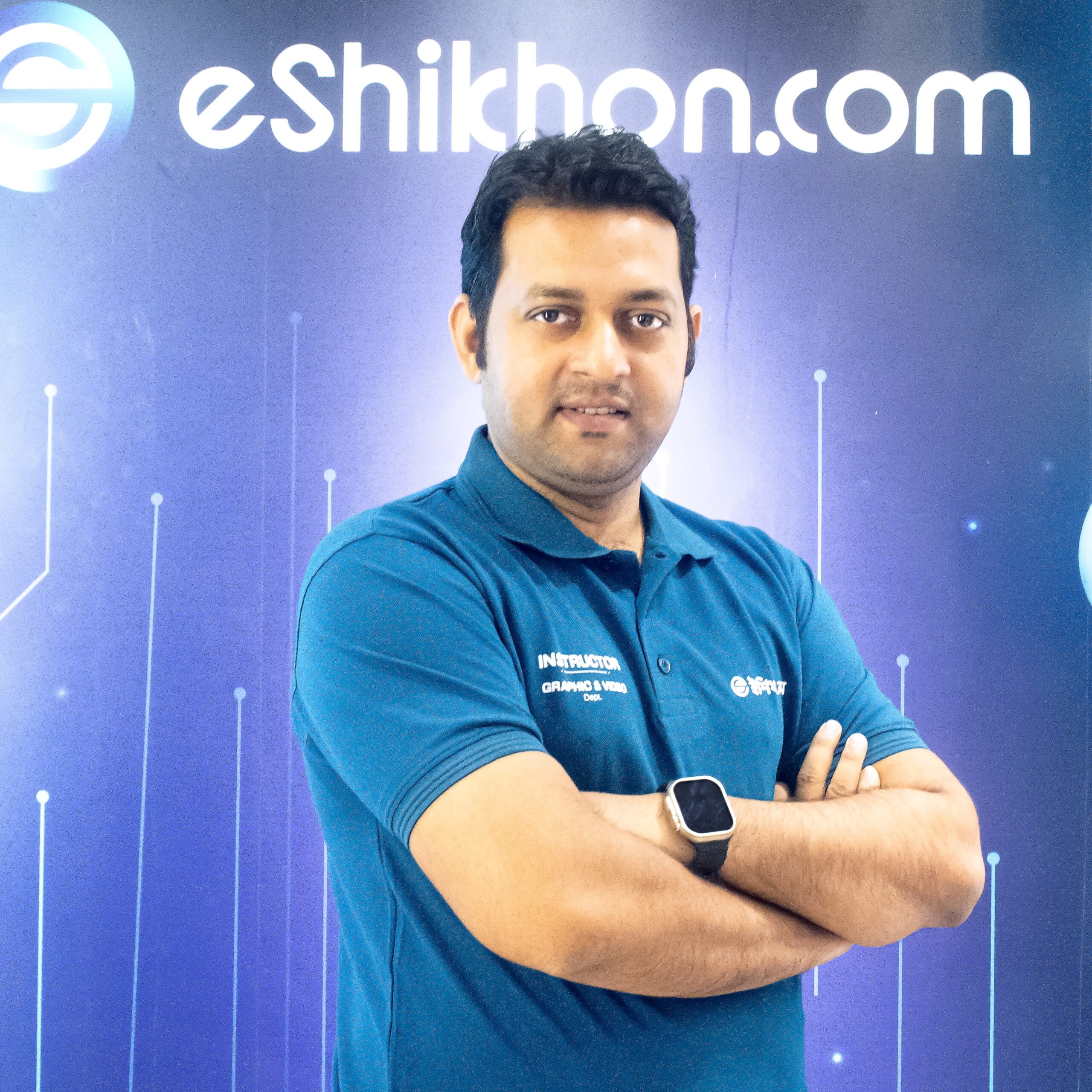
কোর্স ইন্সট্রাক্টর

অভিজ্ঞ ইন্সট্রাক্টরের সঙ্গে শিখুন Video Editing

eShikhon-এর অভিজ্ঞ ইন্সট্রাক্টরদের কাছ থেকে সরাসরি শিখুন এবং প্রয়োজনে সহযোগিতা নিন।

আপকামিং ব্যাচ

নতুন ব্যাচে ভর্তি চলছে

অনলাইন লাইভ ব্যাচের সময়সূচি ও ভর্তি-সংক্রান্ত তথ্য জেনে আপনার সুবিধামতো ব্যাচ বেছে নিন।

ONLINE LIVE

Professional Video Editing Live Course

ক্লাস: Sun · Tue · Thu · রাত ৯:০০টা

Batch Code: VIED-Batch-N262-1

কোর্স ফি: ৳৪,৪৯০ ৳৩,১৪৩ (30% OFF · BF26)

ভর্তি ও বিস্তারিত →
ONLINE LIVE

Professional Video Editing Live Course

ক্লাস: Sat · Mon · Wed · রাত ৯:০০টা

Batch Code: VIED-Batch-N262-2

কোর্স ফি: ৳৪,৪৯০ ৳৩,১৪৩ (30% OFF · BF26)

ভর্তি ও বিস্তারিত →

*ব্যাচের শুরুর তারিখ, সময়সূচি ও আসন পরিবর্তিত হতে পারে। সর্বশেষ তথ্যের জন্য eShikhon-এর সঙ্গে নিশ্চিত করুন।

START YOUR LEARNING JOURNEY

ভিডিও এডিটিং শেখার যাত্রা শুরু করুন

Video Editing শিখুন, creative project তৈরি করুন এবং নিজের পরবর্তী career পদক্ষেপের জন্য প্রস্তুত হোন।

কোর্সে ভর্তি হতে যোগাযোগ করুন →
কোর্স কারিকুলাম

      • Overview of Premiere Pro 00:00:00
      • Premiere Pro Interface & Workspaces 00:00:00
      • Introduction to AI in Video Editing ( Introduction ai tools for editing ) 00:00:00
      • Importing & Organizing Video Files 00:00:00
      • Problem Solution from Previous Class 00:00:00
      • Importance of Workspaces for Efficiency 00:00:00
      • Import & Export Workflow 00:00:00
      • Using Warp Stabilizer for Smooth Footage 00:00:00
      • Nesting & Speed Control (Fast Forward & Slow Motion) 00:00:00
      • Problem Solution from Previous Class 00:00:00
      • Position, Scale, and Animation 00:00:00
      • Text & Shape Animation (Basic) 00:00:00
      • Creating Subscribe Animation 00:00:00
      • News Scrolling Text Animation 00:00:00
      • Movie/Natok Opening Text Animation 00:00:00
      • AI based motion graphics graphic collection 00:00:00
      • Scale Animations (Zoom In/Out, Popup, Unicode Scale, Line Effects) 00:00:00
      • Nesting & Reverse Effects 00:00:00
      • AI graphic 00:00:00
      • Opacity & Masking Effects 00:00:00
      • Transform in Text (A to Z Guide) 00:00:00
      • Text Animation with King Kong Effects 00:00:00
      • AI Subtitle generator 00:00:00
      • Problem Solution Previous Class 00:00:00
      • Creating Motion Graphics Templates (MOGRTs) 00:00:00
      • Exporting and Reusing Templates 00:00:00
      • Using Adobe Firefly AI for AI-generated graphic templates 00:00:00
      • Complete Subscribe Animation Using PSD 00:00:00
      • Using Canva AI to auto-generate YouTube Subscribe animations 00:00:00
      • Problem Solution Previous Class 00:00:00
      • Track matte effects 00:00:00
      • Using animation by using a track matte 00:00:00
      • Track matte animation making a simple shape 00:00:00
      • Problem Solution Previous Class 00:00:00
      • Advance Track matte design, animation 00:00:00
      • Import track matte video using essential graphics 00:00:00
      • Problem Solution Previous Class 00:00:00
      • What is Transition 00:00:00
      • How to use transition using a track matte 00:00:00
      • overlay video 00:00:00
      • blending mood 00:00:00
      • jump cut 00:00:00
      • match cu 00:00:00
      • Problem Solution Previous Class 00:00:00
      • cinematic title 00:00:00
      • Cool cinematic title using mirror, masking, effects 00:00:00
      • Wedding title animation using ornament, floral design Unlimited
      • What is faceless content 00:00:00
      • How to make ai video 00:00:00
      • Collect AI images 00:00:00
      • AI Voice Over 00:00:00
      • Watermark Removal & Object Cleanup 00:00:00
      • Using Adobe Content-Aware Fill AI for automatic object removal 00:00:00
      • Fighting seen broken chest bone 00:00:00
      • Face Blur & Mosaic Effects 00:00:00
      • Introduction to Audio Editing 00:00:00
      • Removing Noise with Audacity & Audition 00:00:00
      • Use AI to make audio noise removing and professional 00:00:00
      • Basics & Advanced Green Screen Techniques 00:00:00
      • AI generated green screen using project 00:00:00
        • Lumetri Color & Color Correction 00:00:00
        • Changing Colors with HSL Secondary 00:00:00
        • Creating LUTs in Photoshop 00:00:00
        • Export and use LUT Photoshop to Premiere pro 00:00:00
        • Make AI Template 00:00:00
        • Slideshow video using AI 00:00:00
        • Make template For Video Hive 00:00:00
        • Wedding & Slideshow Video Creation 00:00:00
        • Introduction After Effects and Basic 00:00:00
        • After Effects Motions graphic Basic 00:00:00
        • Internal link Premiere pro and After Effects 00:00:00
        • Final Assignment & Course Review 00:00:00
        • Final Assignment & Course Review 00:00:00

      শিক্ষার্থীদের রিভিউ

      1. kamruzzaman safanOctober 28, 2026 at 10:44 pm
        Review
        5

        Alhamdulliah sir is so much friendly But he loves to roast 😑people a little. He explained everything to us well. Thanks to Esikhon for everything.

      2. Rehena KhandakerAugust 18, 2026 at 11:54 pm
        Great course
        5

        Mostafizur Rahman sir did a great job in teaching us video editing with details. If a student doesn’t understand a topic, he guides him/her happily. He’s very sincere as a teacher and I would always recommend him as a mentor. Thanks to eShikhon for arranging this course and service.

      3. Musarrat NasrinAugust 7, 2025 at 2:54 am
        Creative Growth Begins Here: A Heartfelt Thanks to My Mentor
        5

        Taking the video editing class with Md Mostafizur Rahman has been one of the most enriching experiences of my creative journey. From the very first session, I felt inspired, supported, and truly excited to learn.

        His teaching style is not only clear and professional but also deeply motivating. He doesn’t just teach software—he teaches storytelling, precision, and the art of visual impact. Every class was filled with hands-on guidance, practical tips, and encouraging feedback that made me more confident with every step.

        I’m incredibly satisfied and grateful for everything I’ve learned. Md Mostafizur Rahman is not just a mentor he is a passionate guide who truly cares about the growth of each student.

        Thank you for making editing feel powerful, creative, and fun.
        I highly recommend this class to anyone who wants to master video editing with clarity and heart.

        Musarrat Nasrin, from Canada 🇨🇦

      4. AVIJIT KARMAKARJuly 20, 2025 at 10:11 pm
        Instructor was awesome the course was great and helpful .
        5

        Excellent !

      5. Mohammed NuruddinJuly 14, 2025 at 12:21 pm
        আপনার জন্য একটা গেইম চেঞ্ঝার হতে পারে
        5

        আমি মোস্তাফিজ ভাইয়ের কাছ থেকে কোর্স্টা করছি অনেক ভাল করে করাইছে এবং প্রতিটা বিষয় একদ্ম পরিস্কার করে বুজাইছে ধন্যবাদ মোস্তাফিজ ভাইকে